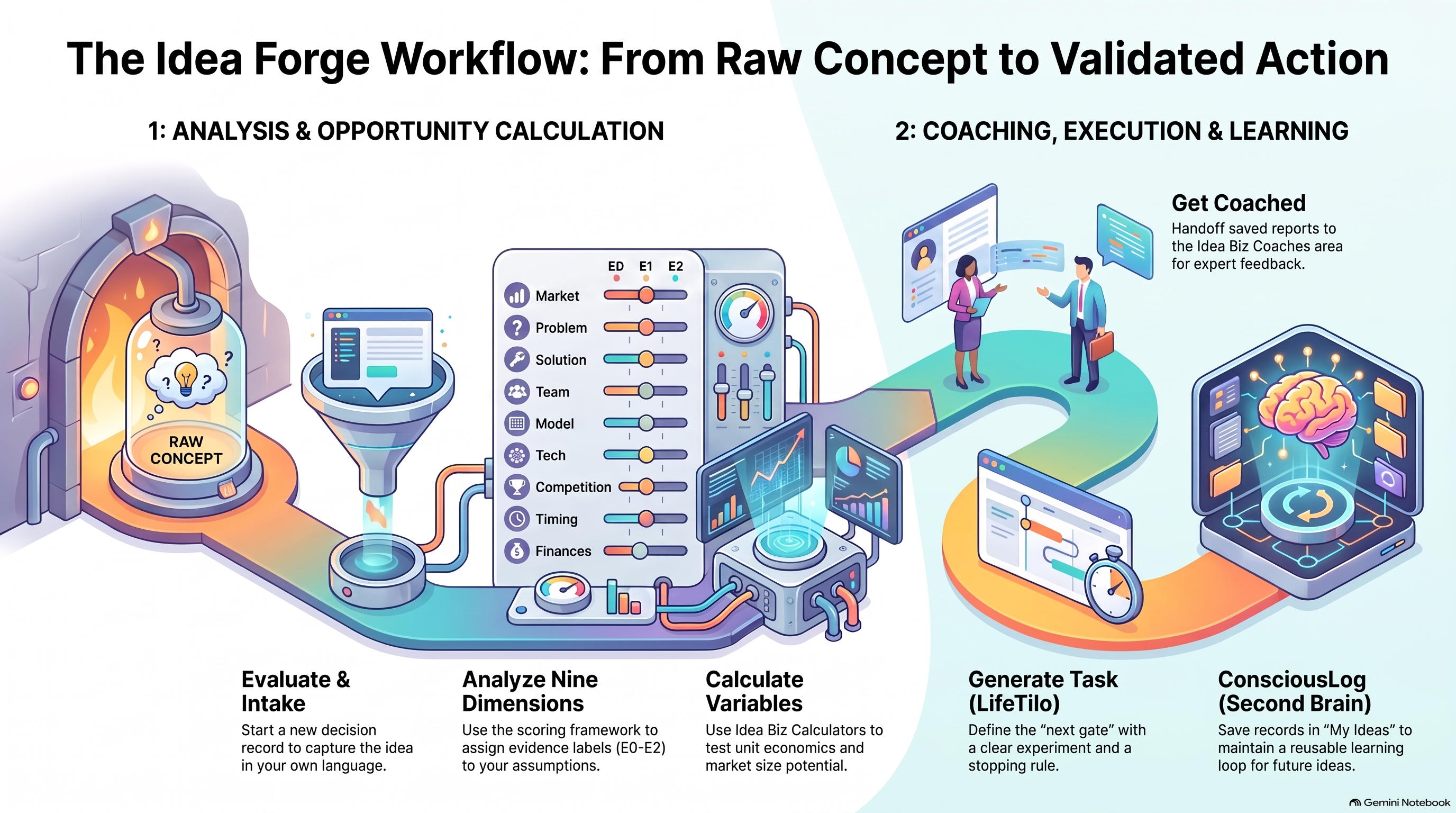
Start here: the operating model
Your Idea Forge turns a rough thought into a decision-ready path without confusing AI output with customer proof.
What the app is for
The app helps you clarify an idea, gather traceable indications, expose unknowns, score potential, design the next test, and carry the work into venture planning. It is a decision aid, not a guarantee, legal opinion, investment recommendation or substitute for talking to customers.
- Capture the idea in the founder's own language.
- Keep assumptions, external indications and direct observations labeled.
- Move forward only when the next gate has an owner, evidence and a stopping rule.
Open + Evaluation
Start a new decision record.
Output: An idea draftComplete the stages
Keep research and assumptions traceable.
Output: A provisional evaluationChoose the next gate
Use the report to decide what to test.
Output: A clear next actionHow the workspace is organized
The desktop workspace has a left navigation, a central work area and report tabs. Mobile layouts stack the same work in a touch-friendly order. Saved records are organization-scoped; the browser never receives private workspace credentials.
- + Evaluation starts a new idea.
- My ideas reopens saved evaluations and revisions.
- Scoring framework explains the nine weighted dimensions.
- Idea Biz Calculators tests economics and market size.
- Idea Biz Coaches is the future coach handoff area.
- Library keeps pitch decks, proposals, prompts, videos, podcasts and guides together.
- Administration controls people, models, audit and usage.
Choose a workspace
Your organization sets the data boundary.
Output: The active workspaceUse the left navigation
Move among evaluations, reports, calculators and administration.
Output: The right work areaSave as you work
The report remains available in My ideas.
Output: A reusable recordThe rules behind every result
Zero guessing is the operating rule. Unknown ratings stay unknown, a source supports a claim about that source, and AI cannot create a customer commitment that did not happen.
- E0 = assumption or analyst judgment.
- E1 = retrieved external indication.
- E2 = founder-reported direct observation that still needs verification.
- A critical privacy, security, regulatory or delivery blocker can stop progression regardless of score.
Read the score
Check coverage, reasons and evidence labels.
Output: Visible uncertaintyReview blockers
Treat safety, delivery or buyer issues as gates.
Output: A decision constraintTest the unknown
Create a small next experiment.
Output: Real-world learning